
How to buy on VigorBuy
Find a product, place your item order, review warehouse QC and arrange international delivery.
Find your item on the spreadsheet
Search by product name or Weidian item ID. If you only have a photo, open Image Search and upload a clear crop of the item. Open a result to compare the listing photos, price and available variants. Save the item ID so you can match the same listing later.
Create or sign in to your VigorBuy account
Use Join VigorBuy to open registration on vigorbuy.com. If you already have an account, sign in there. Your order, warehouse photos and parcel tracking are managed in that account.
Open the same product on VigorBuy
From the detail page, select Buy on VigorBuy. If you prefer to search on VigorBuy, use Copy product link and paste the original Weidian URL into the official search box. Check that the listing and item ID match before choosing a variant.
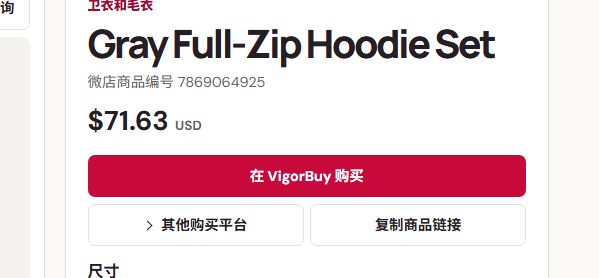
On VigorBuy Findsheets, the highlighted button opens the same Weidian item on the agent site. Choose the variant and review the first payment
On VigorBuy, check the color, size and quantity, and read the seller’s after-sales terms. Compare measurements against a similar item you own. Review the checkout total and available payment methods before placing the item order. International freight is arranged separately after warehouse intake.
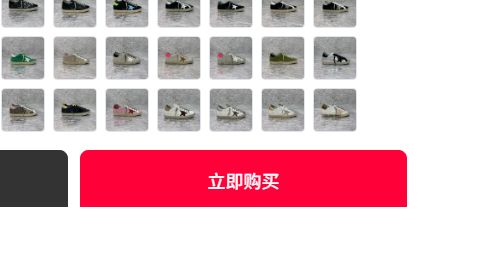
On the official product page, select the required options before using Buy Now (立即购买). Track the order and inspect your warehouse photos
Follow purchasing and seller dispatch in your VigorBuy orders. When the item is stocked, open Warehouse and review the photos for your own order. Check the variant, visible condition, labels and measurements where provided. If anything looks wrong, contact VigorBuy about that item before submitting a parcel.
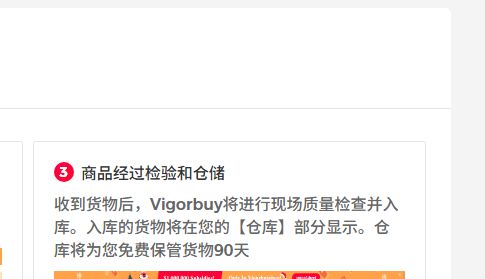
The official public walkthrough shows where stocked items appear. Your own inspection photos are inside your account. Estimate shipping and compare available routes
Choose the destination and enter the estimated packed weight in grams. Add dimensions and product category where relevant. Compare the available routes, their charging weights and delivery estimates. Treat the estimator as a planning tool and review the final parcel quote before paying.
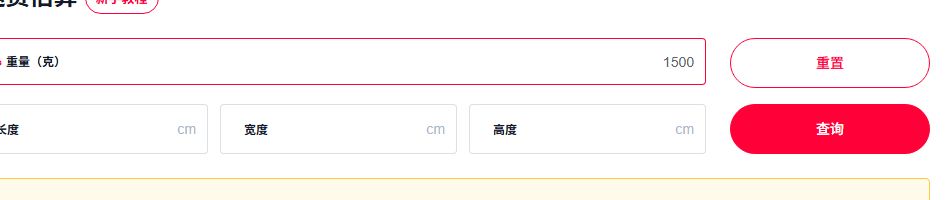
Example entry of 1,500 g in the official estimator. Set your destination, then select Query (查询). Submit the parcel and track delivery
In Warehouse, select the stocked items you want to ship together. Review the packing choices, delivery address, route and quote. Complete the international shipping payment on VigorBuy. Once dispatched, use the parcel tracking number and keep it with your order record.